CIPD
Web Profile & Login user flow
CIPD has tasked me with creating a web profile that addresses challenges faced by people with disabilities when navigating or editing information. Additionally, I have been asked to create a flowchart illustrating the login process for both new and existing customers.
My Role
UX Designer & Researcher
Tools used
Figma
The Challenge
Create a web profile for existing and new customers while considering the challenges faced by people with disabilities when navigating or editing information on web profiles. Focus on ensuring the user experience is inclusive and accessible for all. Identify and list essential components or features that an accessible user profile should have to enhance usability and accessibility.
Research & Empathy
I began by researching the major pain points users might encounter when using a web profile, focusing particularly on accessibility issues. By identifying these challenges, I was able to prioritize which areas would be most important for improving the user experience. This approach ensured that the design enhancements would effectively address user needs and create a more accessible and user-friendly web profile.
Alt Text for Images
Provides descriptive text for images, allowing screen readers to convey visual content to visually impaired users.
Keyboard Accessibility
Ensures users can navigate and interact with the web profile using a keyboard, essential for those who cannot use a mouse.
Text Resizing and High Contrast Options
Allows users to adjust text size and contrast for better readability, aiding those with visual impairments.
Responsive design
Adapts to various screen sizes and user needs, ensuring a consistent and accessible experience across devices.
ARIA - For screen reading
Enhances screen reader functionality, providing additional context and navigation aids for users with disabilities.
Wireframes
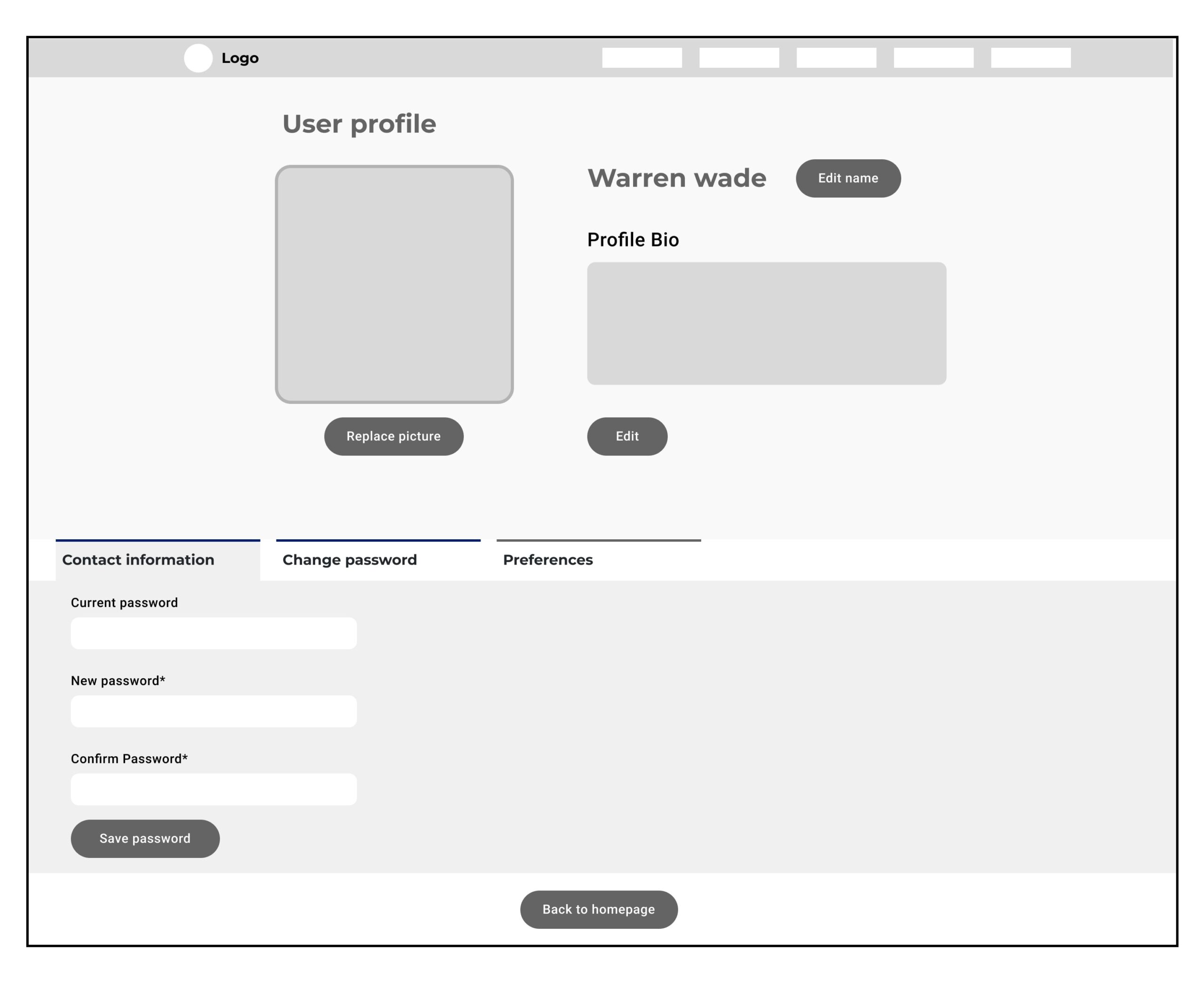
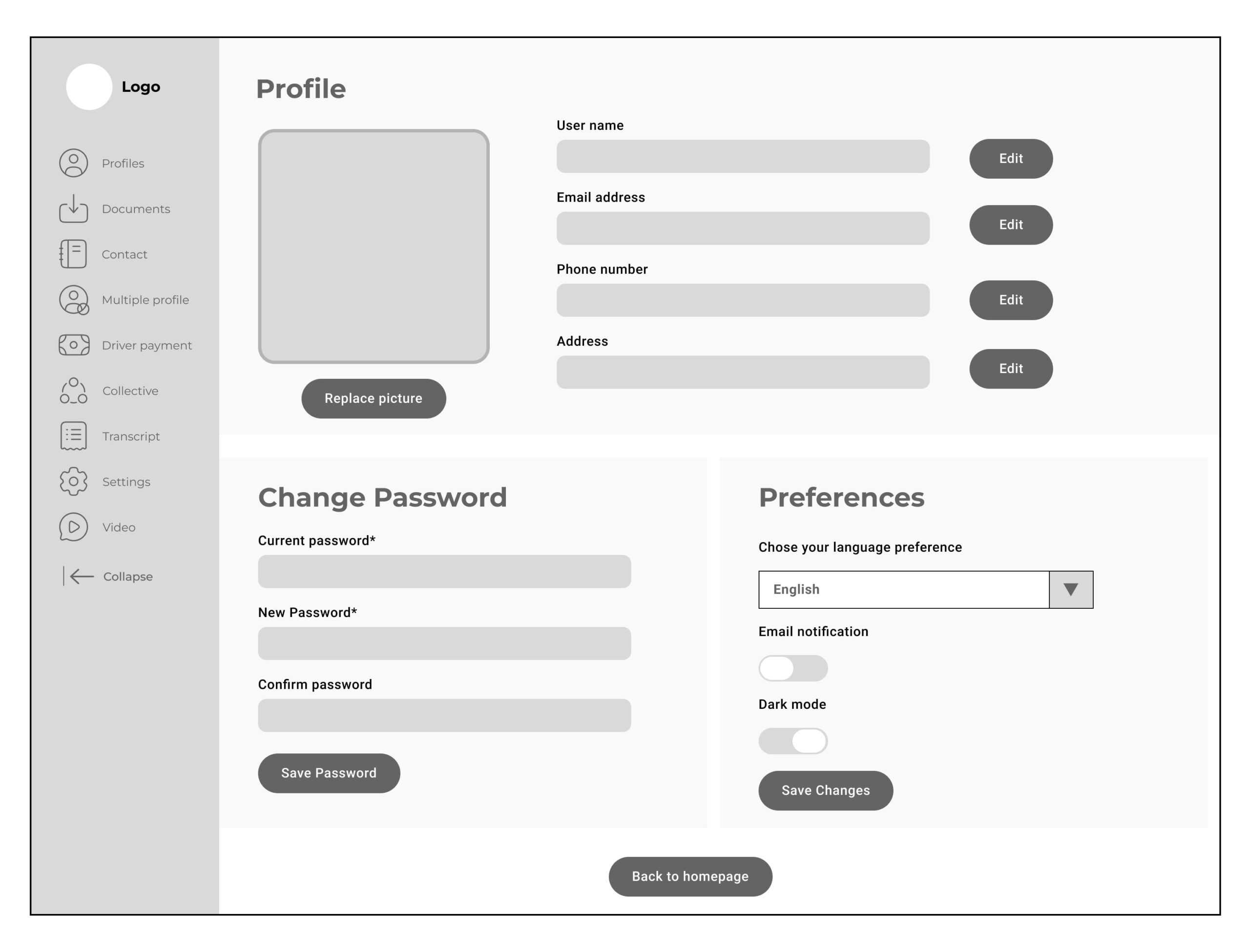
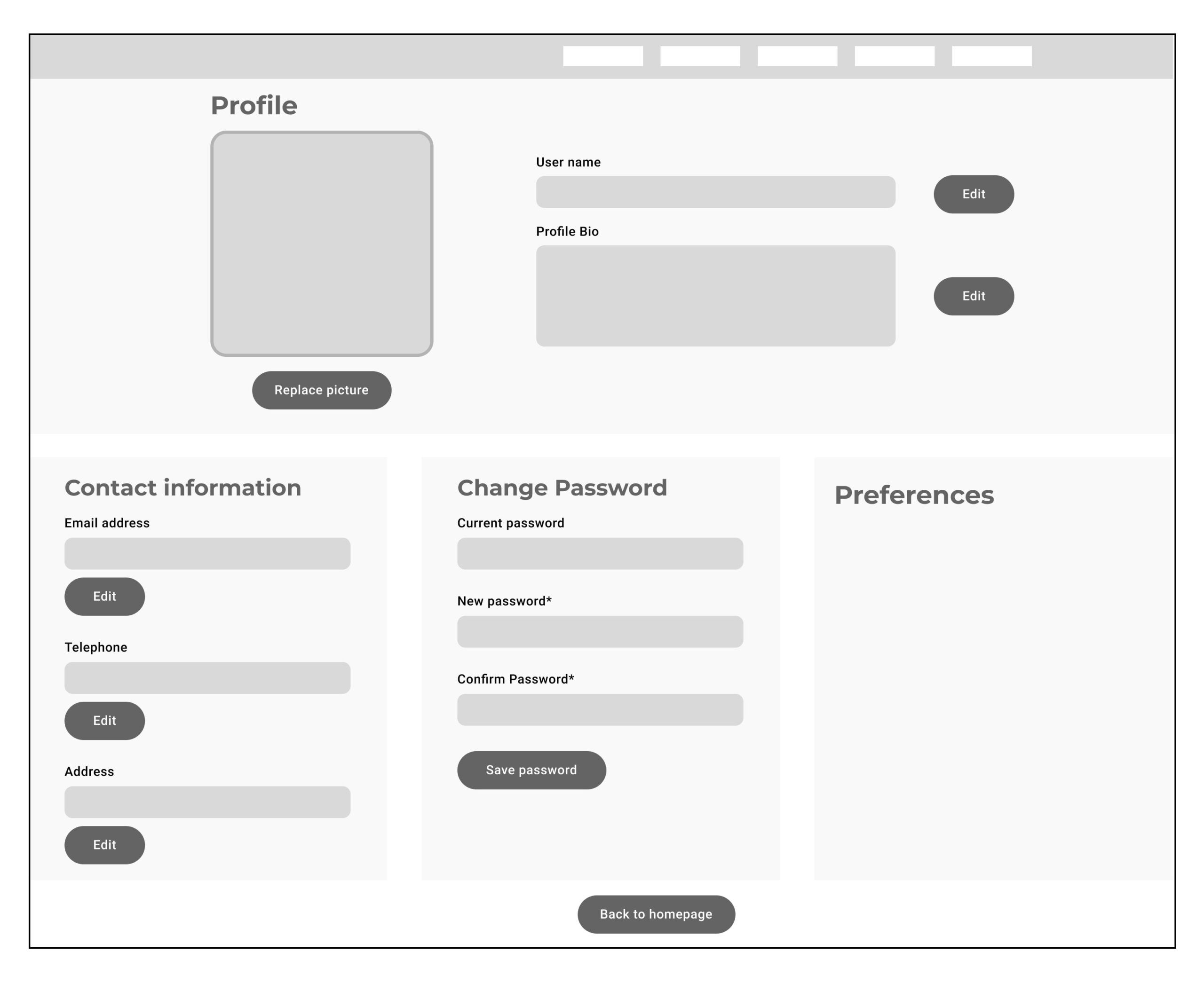
After receiving the brief and identifying essential components for an accessible user profile, I conducted research by analyzing competitors’ web profiles. I evaluated their implementations and considered how to best integrate the researched best practices into our design. This led me to start creating wireframes and develop a few options to compare where best practices could fit and how they could be laid out most effectively.
Wireframes analysis
After creating the wireframes, I took some time away before analyzing potential accessibility pitfalls. I then identified improvements and solutions to enhance the user experience.
Pitfalls
Left nav reads long for screen reader users
Lack of instructional text leaves inputs unclear
Lack of accessibility settings limits
Focus order unclear for keyboard navigation
Improvements & Solutions
Add text examples in input fields to demonstrate expected information
Create accessibility settings to change text size, cursor size & highlight focus
Follow focus order that makes sense for keyboard users
Flowchart
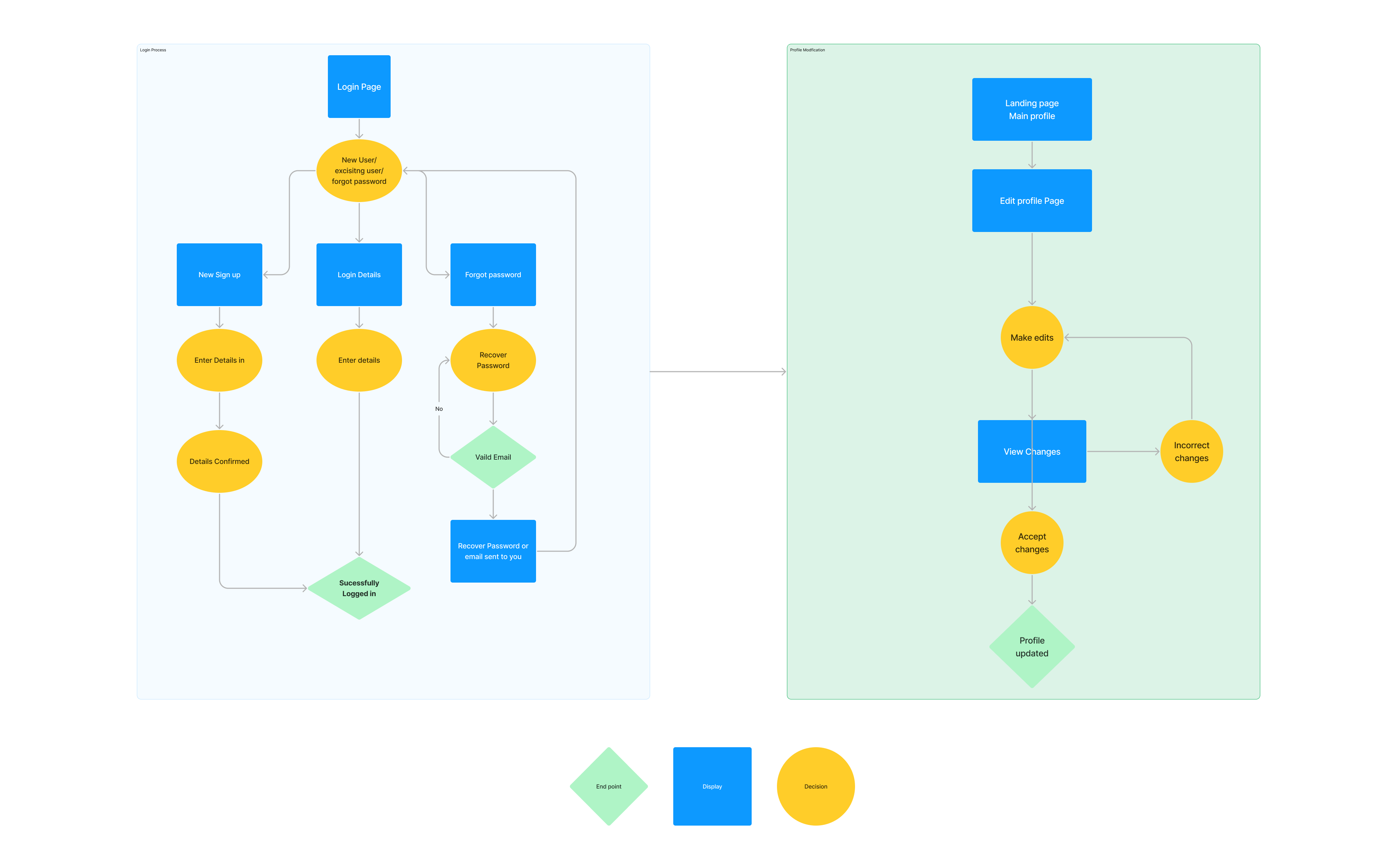
As part of this project, I was also tasked with creating a flow diagram illustrating the processes for logging in and editing your web profile. This involved mapping out the user journey and visualizing how users would navigate these tasks seamlessly.
Flowchart
After creating the flowcharts, I took some time away before analyzing potential accessibility pitfalls. I then identified improvements and solutions to enhance the user experience.
Pitfalls
No option to login via social media creates extra steps
Password recovery redirects off-site to email, interrupting flow
No way to set accessibility needs upfront
Improvements & Solutions
Password recovery redirects off-site to email, interrupting flow
Enable password reset directly within the app experience
Include accessibility setup step before entering app to set text size, contrast, etc. based on user needs

Overview
The profile utilizes a clean, single page layout to avoid cognitive overload. Semantic HTML provides a logical document structure enhanced for screen readers. Dark mode is included as an option to aid users with visual impairments.
The page is organized into distinct sections, each with its own heading and call-to-action button. This delineation creates clear information hierarchy when navigating via keyboard or assistive technology. The sections include a Profile, Change password contact information, and preferences area.
The user flow walks through each profile section sequentially without unnecessary complexity. Editing is intuitive and linear versus modal overlays.
With its emphasis on inclusive best practices, this design provides a solid UX foundation. Core considerations like accessibility, clarity, simplification, and device-agnostic flexibility drive the end-to-end experience.
The aim is an optimized profile tailored to users of all abilities. Accommodating diverse needs through thoughtful reduction creates a more universally accessible product.
View more case studies below
If you would like to find out information about the case study or speak, please contact me .